

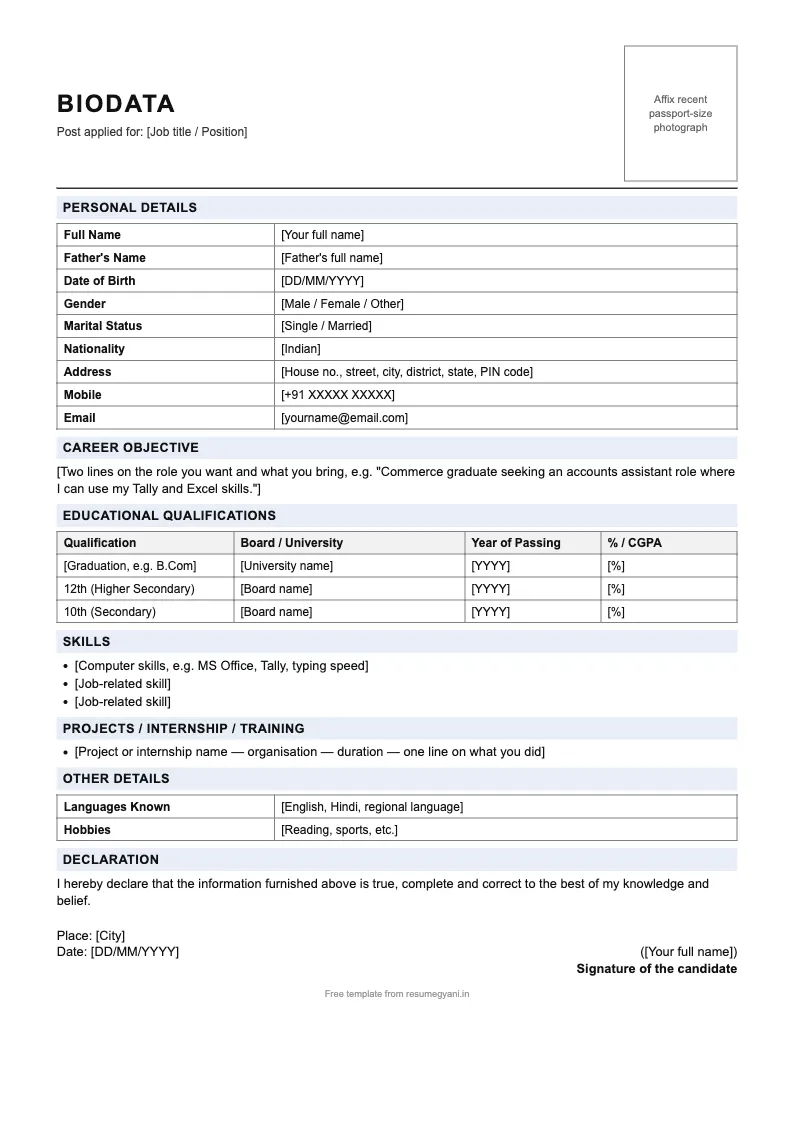
Simple biodata for freshers
Personal details with father's name & DOB, career objective, 10th / 12th / graduation table, skills, internship, declaration.
Three ready-to-fill biodata formats for job applications in India: one for freshers, one for experienced candidates and one for government (sarkari) posts. Each is a single A4 page with a photo box, father's name, an education table and a declaration — download the Word file to type your details, or the PDF to print and fill by hand.
Free, no signup. Each file is one A4 page with [bracketed] fields — open the Word file, type over the brackets, paste your photo and save as PDF.
Personal details with father's name & DOB, career objective, 10th / 12th / graduation table, skills, internship, declaration.
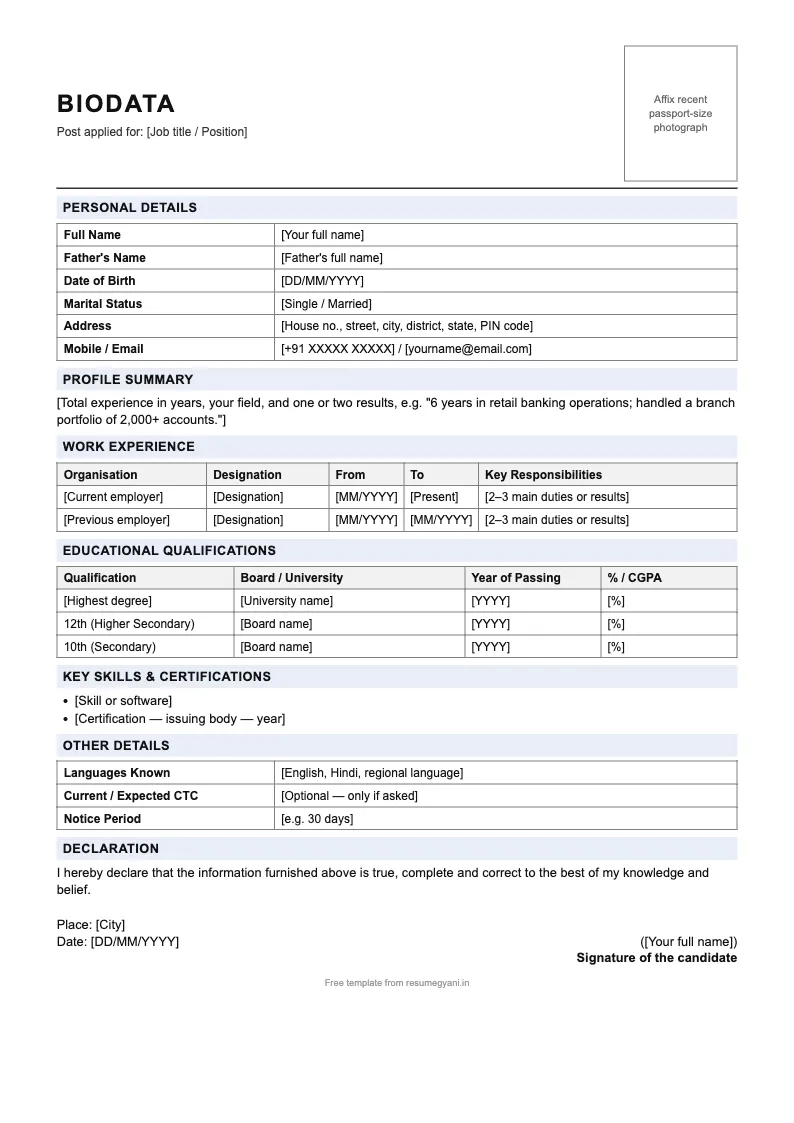
Adds a work-experience table (organisation, designation, from–to, duties), profile summary, certifications and notice period.
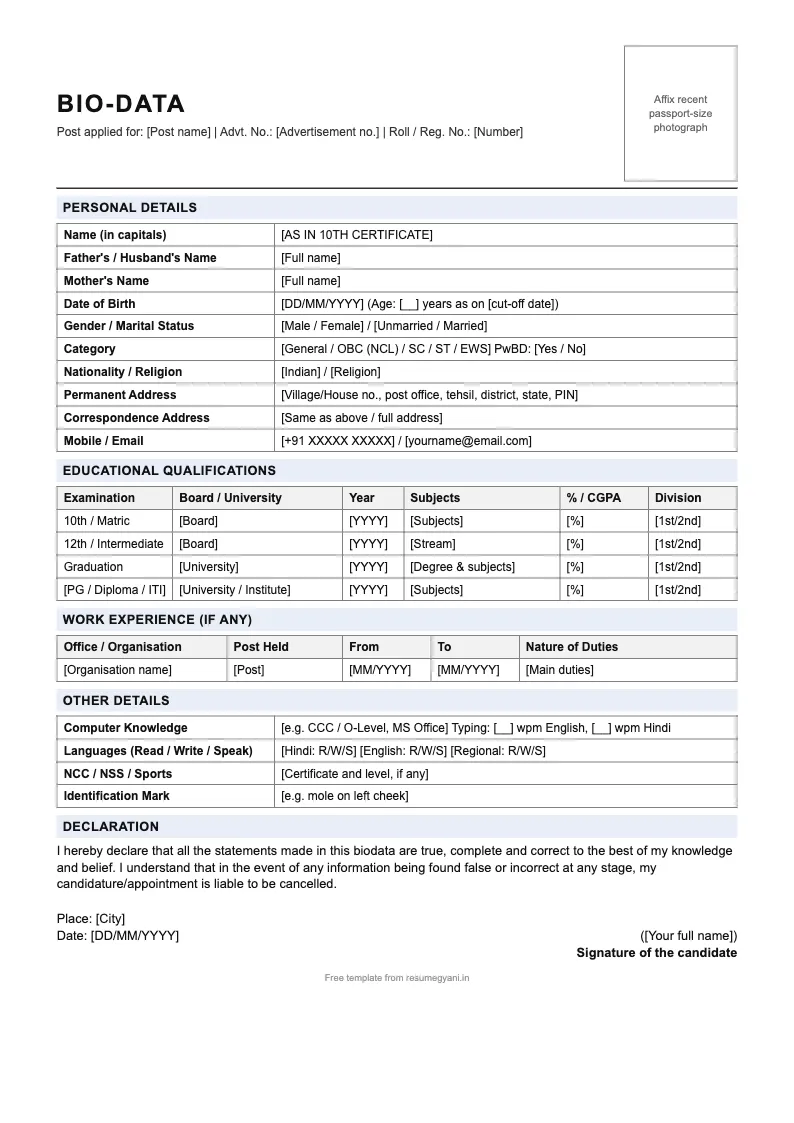
Post & advt. no., father's and mother's name, category, two addresses, education with division, typing speed, formal declaration.
Fill it online instead? Open the resume builder — type your details once, add a photo and get a print-ready PDF (free editor and preview; PDF download from ₹399).
| You are applying as | Use this format | Why |
|---|---|---|
| Fresher / first job | Simple biodata for freshers | Education and skills first; no empty experience table. |
| 1+ years of experience | Biodata for experienced candidates | Work-experience table and profile summary near the top. |
| Government / PSU / sarkari post | Sarkari biodata format | Category, advt. no., mother's name, division and a formal declaration. |
Full name, father's name, date of birth, gender, marital status, nationality, full address with PIN code, mobile number and email.
Recent passport-size photo in the top-right box. Plain background, formal clothes.
Two lines on the job you want and what you bring. Freshers: objective. Experienced: years of experience and one result.
A table from 10th onwards: qualification, board or university, year of passing and percentage or CGPA, exactly as on your mark sheets.
Organisation, designation, from–to dates and main duties. Freshers can list internships, apprenticeships or training instead.
Computer skills (MS Office, Tally, typing speed), job-specific skills, and languages you can read, write and speak.
"I hereby declare that the information furnished above is true…" followed by place, date and your signature.
| Biodata | Resume | CV | |
|---|---|---|---|
| Focus | Personal details + education | Skills and results | Full academic and career record |
| Length | 1 page | 1–2 pages | 2+ pages |
| Photo, DOB, father's name | Yes | Usually no | Rarely |
| Used for | Govt jobs, PSUs, schools, factories, traditional firms | Private-sector and corporate jobs | Academic, research, senior roles |
Applying to a private company that screens with ATS software? A resume will usually serve you better than a biodata.
On this page. Choose the fresher, experienced or government (sarkari) format and click "Word (.docx)". The file opens in Microsoft Word, Google Docs, WPS Office and LibreOffice. Replace the text in [square brackets] with your details and paste your photo in the box.
Yes. Each format is also available as a one-page A4 PDF. Print it and fill it by hand, or use the Word file if you want to type your details and then save the result as PDF.
In Microsoft Word use File → Save As → PDF. In Google Docs use File → Download → PDF document. On a phone, the WPS Office and Word apps both have an "Export to PDF" option. Upload the PDF, not the Word file, unless the employer asks for .doc or .docx.
Full name, father's name, date of birth, gender, marital status, nationality, address, mobile and email; education from 10th onwards with board, year and percentage; work experience (if any); skills; languages known; and a signed declaration with place and date. A passport-size photo goes in the top-right corner.
A resume focuses on skills, achievements and experience. A biodata adds personal details such as date of birth, father's name, marital status and a photo. Biodata is still asked for by government departments, PSUs, schools, factories and many traditional Indian employers.
In most Indian biodata formats, yes. Use a recent passport-size photo with a plain white or light background, placed in the box at the top right. Government notifications sometimes specify the exact size, so check the advertisement.
One page for freshers and most experienced candidates. All three templates here fit on a single A4 page. Go to two pages only if you have long, relevant experience that the employer needs to see.
Use the sarkari format for government jobs: it has fields that notifications ask for, such as category, mother's name, advertisement number and division. For private companies the fresher or experienced format is shorter and more relevant.
ResumeGyani has 75,000+ signups. The online builder's editor and preview are free; PDF download from ₹399.